
The job of a cyber criminal is to trick us and even people who know what to look for get fooled. Here’s what happened to me and the habits that prevented me from falling for it.
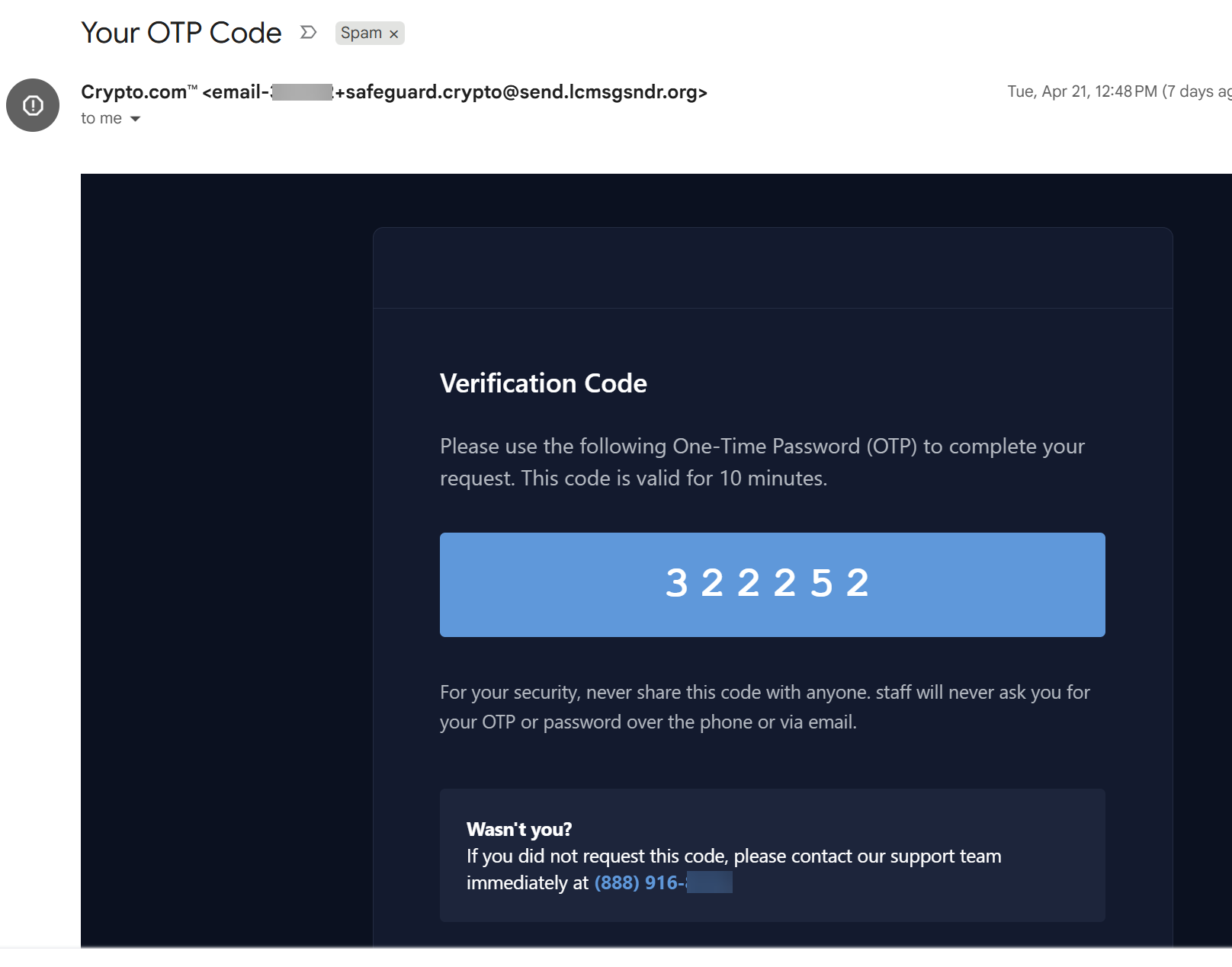
I received the above email for a One-Time Passcode to what posed as Crypto.com. Two items first went through my mind
I don’t have a Crypto.com account.
I didn’t request a one-time passcode.
Exactly where the criminals want my mindset.
The email looks very professional and branded exactly how we would expect it to look. Though there’s a key tell of how to know this isn’t legit - the email domain, the word after the @ symbol, send.lcmsgsndr.org.
The domain isn’t the sender, Crypto.com. In fact the domain is nonsensical. Additionally, a crypto service wouldn’t use a .org like a non-profit.
Honesty moment - I missed this, and this is the goal. Sometimes legitimate sender domains do appear as gibberish at a glance. This is why it’s important to build good habits to act as multiple layers of defense.
So what additional layers of defense would I ask of us here?
If we don’t own cryptocurrency or don’t have a Crypto.com account stop here, delete the email or report it as spam, and move on
Never call the phone number or click a link listed in an email we’re not expecting
If we do have a Crypto.com account, or whatever account a message is pretending to be, then we would
Navigate to the webpage directly to logon with our account, perform a password reset with our email, or call the support number listed on the real website
To be clear - I still hadn’t figured out this email was fake and thought someone may be trying to setup a crypto account with my email address.
When possible I try to follow attacks through and shut down the criminal account via reporting.
For most of us, I’d recommend not engaging further if we are unfamiliar with the site.
What I did next is go to Crypto.com and perform a Forgot Password with my email. Even though I never had an account they were very open to sending me a reset link to set one up. How helpful :P
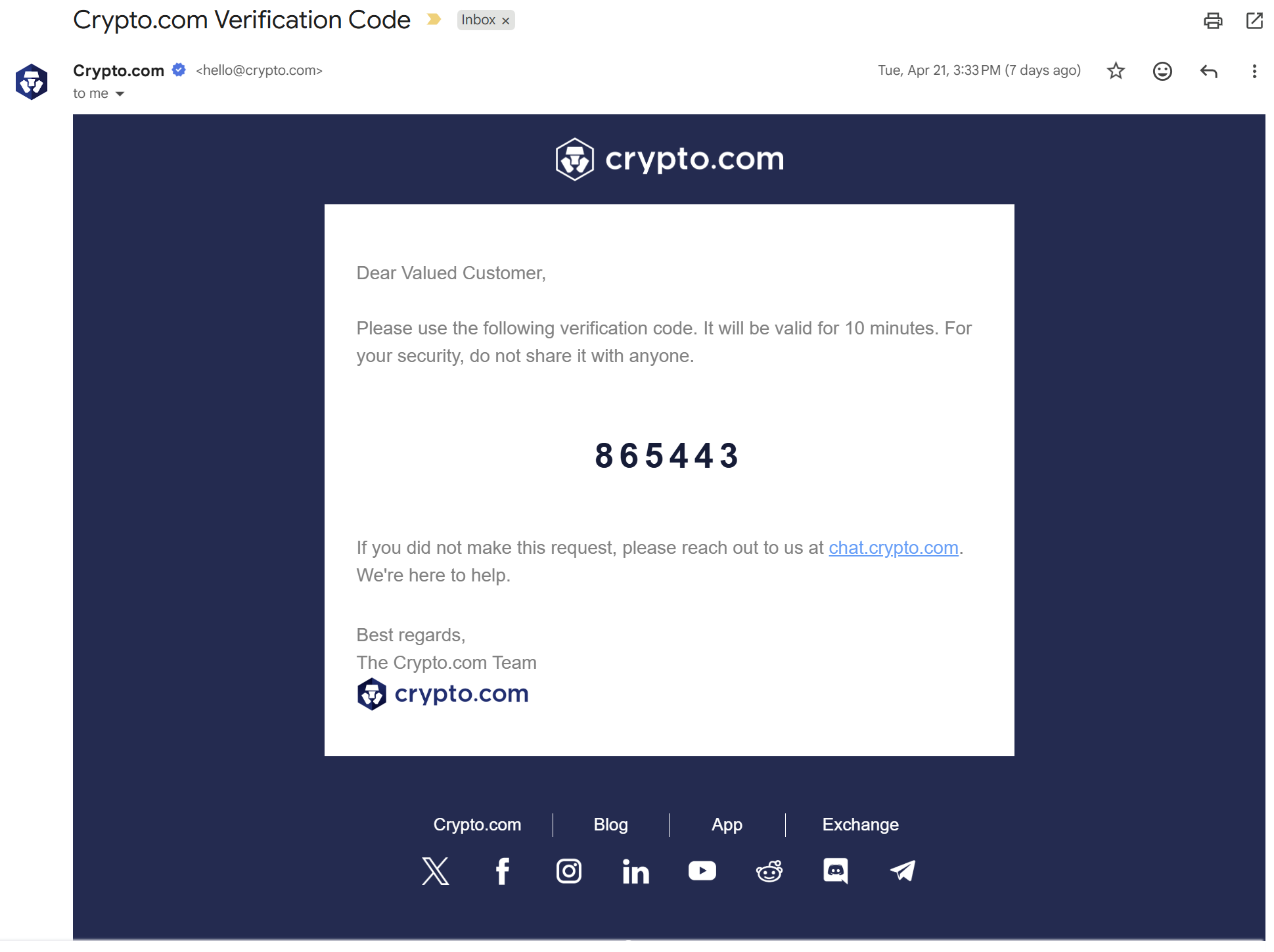
The real One-Time Passcode email, above, has a lot of promising signs - a clean Crypto.com sending domain, no phone number to call, mentions to their real domain, and plenty of social links.
At this point I realized the original email was fake and reported it as phishing without creating an account.
Let’s recap our layers of defense when getting an unexpected email such as a One-Time Passcode, shipping confirmation, invoice, or a other variations -
If we are unfamiliar with the service ignore the email
Only email or call through contact info found on the service’s website, never what is listed in the email or by responding to the email
Do not open any attachments or click any links from the email, yes even the unsubscribe link
Attempting to spot every attack is a fool’s game. Developing layered habits to prevent becoming a victim when an attack lands is where cyber defense is won.